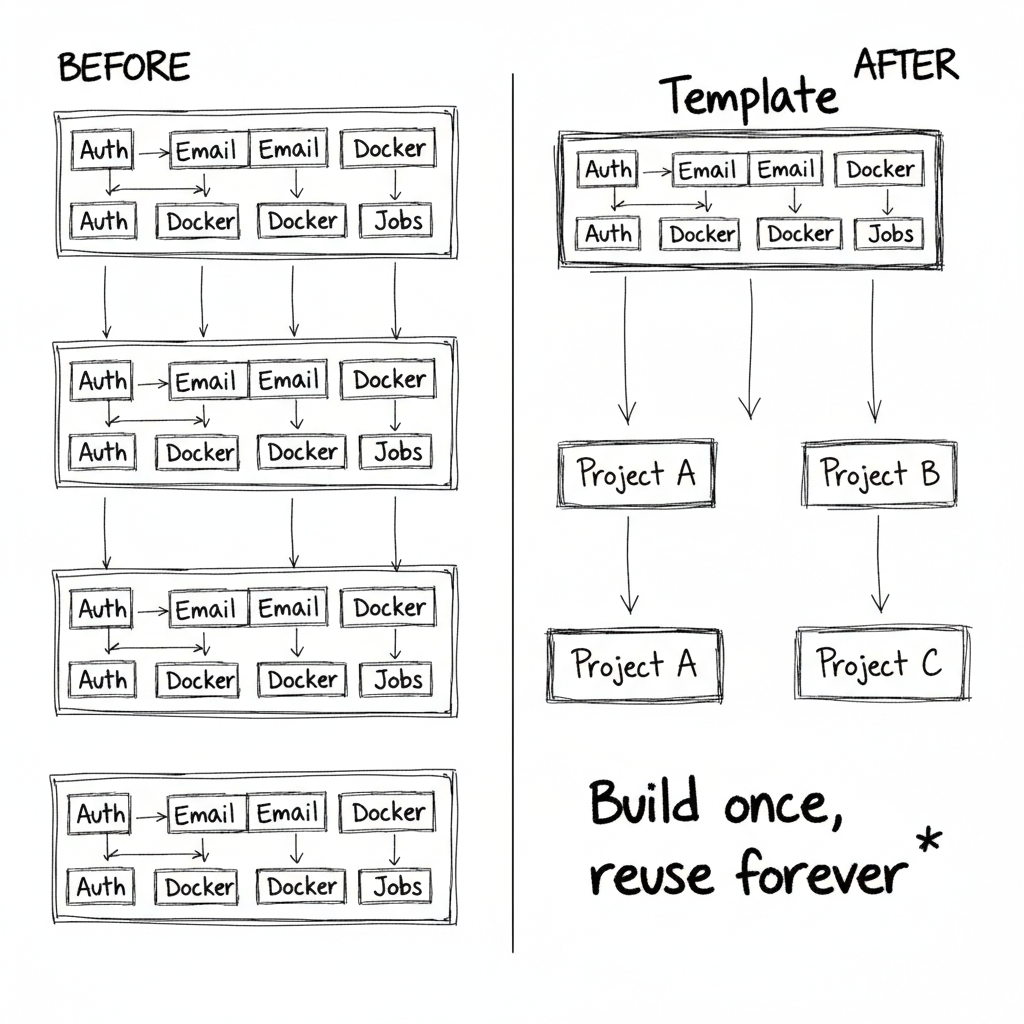
Every time you start a new SaaS project, you face the same setup tax. Authentication. Email notifications. Background job processing. File uploads. Docker configuration. Logging. Monitoring.
You can copy-paste from your last project. But that code was written 6 months ago. It has bugs you've already fixed elsewhere. It's missing improvements you made in production. It's technical debt from day one.
Or you can invest upfront in a production-ready template. Build it once, battle-test it in production, reuse it forever. That's what I did. And when SenDocteur needed to ship fast, the ROI showed up immediately.
The Problem: Reinventing the Wheel
Most SaaS applications share 70% of their code. User authentication. Password resets. Email verification. Role-based access control. API rate limiting. Background jobs for async work. File storage. Admin dashboards.
If you're building these from scratch every time, you're burning weeks of development on commodity features. Features that don't differentiate your product. Features that users expect to just work.
The naive solution is to copy code from your last project. But copy-paste inheritance is fragile. You fix a security bug in one project, but the other three still have it. You improve your email templates in Project A, but Project B is still using the ugly ones.
What to Include in a Production Template
A good SaaS template isn't a toy starter project. It's production-grade infrastructure that's been hardened through real use. Here's what I included:
- Authentication system with JWT, session management, and social auth hooks ready to plug in
- Mailing infrastructure with transactional emails and template system for onboarding flows
- WebSocket notifications for real-time updates without polling
- Docker configuration with PostgreSQL, Redis, and Celery working out of the box
- Role-based access control that's actually flexible enough to use
- Multi-tenant architecture foundation so you can add it later without rewriting everything
- AWS S3 storage integration for file uploads and media
- Background task processing with Celery for async jobs
- Admin dashboard scaffold with user management and basic analytics
This isn't "hello world with auth." It's the foundation you wish you had in production when you're scrambling to add features at 2am.
The Stack Choices That Mattered
I built this on Python and Django REST Framework because that's what I know best. But more importantly, because Django's ecosystem is mature and battle-tested.
"The best internal accelerator is built on tech you already know deeply. You want to solve setup problems once, not debug unfamiliar frameworks every time."
Key decisions:
- PostgreSQL over MongoDB because relational data models are easier to refactor
- Celery for background jobs because it integrates seamlessly with Django
- Redis for caching and Celery broker because it's fast and predictable
- Docker Compose for local dev because it mirrors production environments
- AWS S3 for storage because it's commodity infrastructure everyone understands
These aren't the only valid choices. But they're boring, reliable, and well-documented. That's exactly what you want in a template.
ROI: The SenDocteur Test
The real test came when I needed to build SenDocteur--a platform connecting patients with doctors in Senegal. Time pressure was intense. The template paid for itself in the first week.
Instead of spending days configuring Docker, setting up authentication, building email infrastructure, I cloned the template and started building actual features. Day 1 was booking logic, not "how do we send password reset emails."
Here's what the template saved:
- Week 1: No Docker/DB setup. Authentication already working. Email system ready for booking confirmations.
- Week 2: Background jobs for appointment reminders worked immediately. No debugging Celery configuration.
- Week 3: File uploads for medical documents used existing S3 integration. No researching storage solutions.
- Week 4: Role-based access (patients vs doctors vs admins) required minimal customization.
Total time saved: conservatively 2-3 weeks. That's 2-3 weeks of building features that differentiate the product instead of reimplementing commodity infrastructure.
Maintenance: The Hidden Benefit
The upfront time savings are obvious. The less obvious benefit is maintenance. When I find a security issue or performance improvement, I fix it in the template. Next project automatically gets the fix.
This compounds over time. After 3 projects built on the template, I've battle-tested the authentication flow, optimized the email delivery, debugged the Docker networking. New projects inherit all of that knowledge.
Compare this to copy-paste inheritance, where each project slowly diverges. A bug fix in Project A doesn't help Project B. You end up maintaining N different versions of "authentication," all slightly broken in different ways.
Checklist: Building Your Own Internal Accelerator
- Start with a stack you know deeply (don't learn new tech while building shared infrastructure)
- Include everything you rebuild for every project (auth, mailing, jobs, storage)
- Make it production-ready, not a toy (real error handling, logging, monitoring hooks)
- Use boring, proven technology (optimize for reliability, not novelty)
- Document the "why" for every architectural choice (future you will thank present you)
- Keep it closed-source if it's just for you (no need to maintain public docs/support)
- Battle-test it in a real project before considering it "done"
- Version it properly (SemVer helps track breaking changes)
- Accept that it will evolve (templates improve as you use them)
When Not to Build a Template
Internal accelerators aren't always worth it. Skip the template if:
- You're only building one project (just build the project)
- Your projects are wildly different in tech stack (no shared foundation to extract)
- You're still learning the stack (build 2-3 projects first, then extract patterns)
- You have a team that thrives on greenfield setup (some engineers love this part)
But if you're a solo founder or small team shipping multiple products, a battle-tested template is one of the highest-leverage investments you can make.
The Long Game
Building a production SaaS template takes time upfront. Maybe 2-4 weeks to extract patterns from existing projects and harden them into reusable infrastructure.
But that investment pays dividends forever. Every new project saves weeks. Every bug fix improves all future projects. Every production lesson learned gets baked into the foundation.
The best code you can write is code you never have to write again. That's what internal accelerators are for.