I needed a GPU for ML inference. The rental platform showed a nice RTX 4090 for $0.35/hour. Clicked rent. Done.
A week later, I checked the API directly. There were A100s available for $0.32/hour. Same inference workload. 3x the VRAM. 2x the throughput. Cheaper.
The platform's "recommended" pick wasn't wrong—it just wasn't optimizing for my use case. I needed VRAM and price. They optimized for reliability and simplicity.
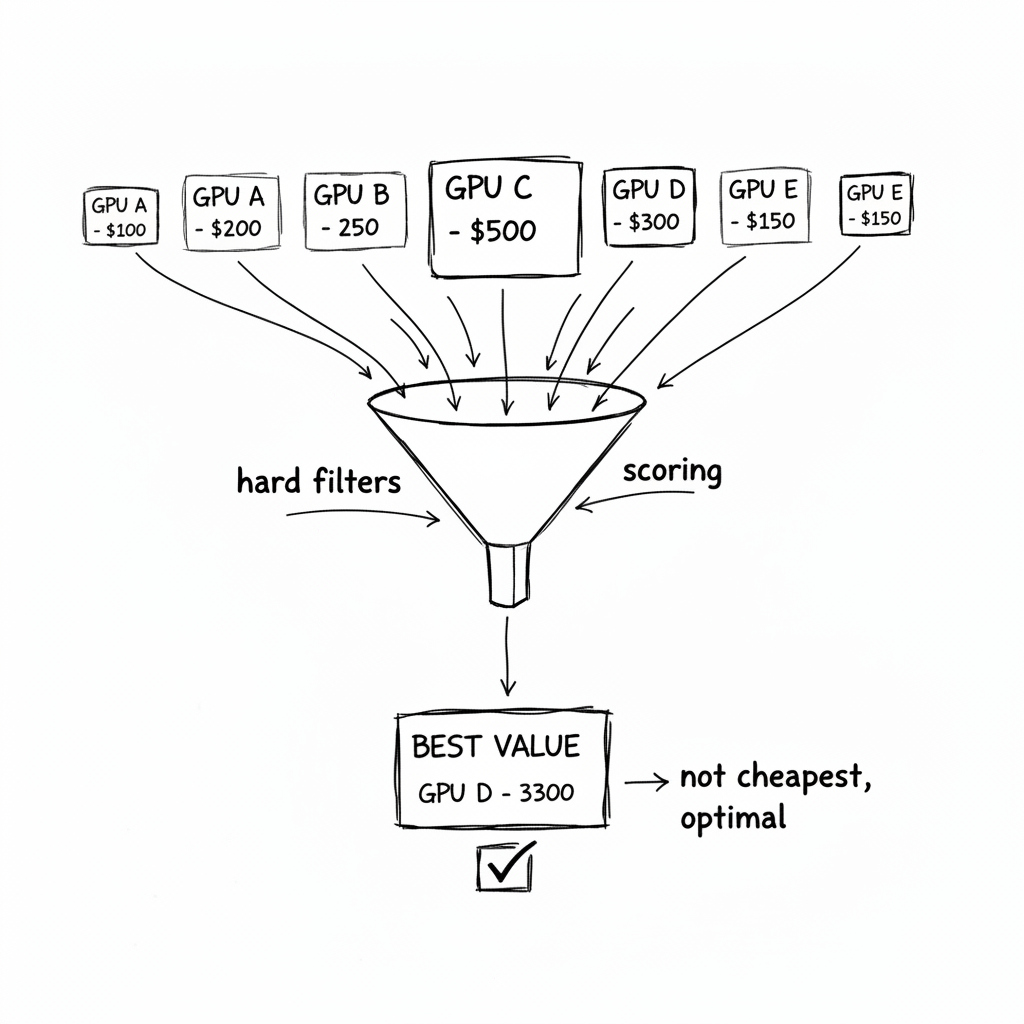
So I built my own selector. It evaluates every available offer, scores them on what actually matters, and picks the best value. Not the cheapest. Not the fastest. The best value for the specific workload.
The Problem with "Cheapest"
First attempt: sort by price, pick the lowest.
offers = fetch_all_offers()
cheapest = min(offers, key=lambda x: x.price_per_hour)
This gave me an RTX 3060 for $0.08/hour. Great price! Terrible choice.
The 3060 has 12GB VRAM. My model needs 16GB. The instance crashed immediately.
Okay, filter first:
offers = [o for o in offers if o.vram_gb >= 16]
cheapest = min(offers, key=lambda x: x.price_per_hour)
Now I got an RTX 4090 with 24GB. Model fits. But it's still not optimal.
The 4090 was $0.28/hour. An A100 was $0.34/hour—more expensive, but with 80GB VRAM. My batch size could jump from 8 to 32. Throughput would 3x. Cost per item would decrease despite the higher hourly rate.
"Cheapest" ignores what you're actually trying to optimize: cost per unit of work.
The Multi-Factor Scoring Model
The right GPU isn't the cheapest or the fastest. It's the one that minimizes cost per item processed, given constraints.
I score each offer on multiple factors:
| Factor | Weight | Why |
|---|---|---|
| Price | 40% | Lower is better, but not everything |
| VRAM | 25% | More VRAM = bigger batches = higher throughput |
| Reliability | 20% | Spot instances get interrupted. Reliable hosts save headaches |
| Internet speed | 10% | Image downloads bottleneck slow connections |
| DL performance | 5% | Benchmark metric for actual compute speed |
The formula:
def score_offer(offer):
    # Normalize each factor to 0-1 range
    price_score = 1 - (offer.price / MAX_PRICE)  # Lower is better
    vram_score = offer.vram_gb / MAX_VRAM        # Higher is better
    reliability_score = offer.reliability / 100   # Already 0-100%
    internet_score = min(offer.download_mbps / 500, 1)  # Cap at 500Mbps
    dl_score = min(offer.dlperf / MAX_DLPERF, 1) if offer.dlperf else 0.5

    # Weighted combination
    score = (
        0.40 * price_score +
        0.25 * vram_score +
        0.20 * reliability_score +
        0.10 * internet_score +
        0.05 * dl_score
    )

    # Bonus for tier-1 GPUs (known good performers)
    if offer.gpu_name in ['A100', 'H100', 'RTX 4090']:
        score *= 1.10

    return score
An A100 at $0.34/hour scores higher than an RTX 4090 at $0.28/hour because the VRAM advantage outweighs the price difference.
Hard Filters vs Soft Preferences
Some constraints are non-negotiable. Others are preferences.
Hard filters (reject if not met):
def passes_hard_filters(offer):
    if offer.vram_gb < MIN_VRAM:
        return False, "VRAM too low"
    if offer.reliability < 90:
        return False, "Reliability too low"
    if offer.price > MAX_PRICE:
        return False, "Too expensive"
    if offer.cuda_version < 12.0:
        return False, "CUDA too old"
    if not is_pytorch_compatible(offer):
        return False, "PyTorch incompatible"
    return True, None
Soft preferences (affect score but don't reject):
- Higher VRAM is better, but 24GB is acceptable
- Faster internet is better, but 100Mbps is fine
- Better reliability is better, but 90% is the floor
The hard filters eliminate bad options. The scoring ranks the good ones.
The Compatibility Trap
This one burned me: not all GPUs work with current PyTorch.
The Blackwell architecture (RTX 5090, 5080) uses compute capability sm_120. PyTorch 2.5 doesn't support it yet. Renting one of these means your CUDA code fails to compile.
I added an exclusion list:
INCOMPATIBLE_GPUS = [
    'RTX 5090', 'RTX 5080', 'RTX 5070',  # Blackwell, sm_120
    'B100', 'B200',                        # Blackwell datacenter
]

def is_pytorch_compatible(offer):
    for pattern in INCOMPATIBLE_GPUS:
        if pattern in offer.gpu_name:
            return False
    return True
This changes over time. When PyTorch adds Blackwell support, I remove the filter. When new architectures come out, I add them.
Real-Time Market Evaluation
The spot market changes constantly. An A100 at $0.30/hour might be gone in 5 minutes. Or a new one might appear at $0.25/hour.
I evaluate offers at decision time, not ahead of time:
def find_best_gpu(criteria):
    # Fetch current offers from API
    offers = fetch_all_offers()

    # Apply hard filters
    valid_offers = []
    rejection_reasons = defaultdict(int)
    for offer in offers:
        passes, reason = passes_hard_filters(offer)
        if passes:
            valid_offers.append(offer)
        else:
            rejection_reasons[reason] += 1

    if not valid_offers:
        log.warning("No valid offers", rejections=dict(rejection_reasons))
        return None

    # Score and rank
    scored = [(score_offer(o), o) for o in valid_offers]
    scored.sort(reverse=True)

    best_score, best_offer = scored[0]
    log.info(
        "Selected GPU",
        gpu=best_offer.gpu_name,
        vram=f"{best_offer.vram_gb}GB",
        price=f"${best_offer.price:.2f}/hr",
        score=f"{best_score:.3f}",
        alternatives=len(scored) - 1
    )

    return best_offer
Every time I need a GPU, I query the market fresh. Yesterday's best deal is irrelevant.
Logging the Decision
When something goes wrong ("why did we pick this GPU?"), I need to understand the decision. Extensive logging is essential:
log.info(
    "GPU offer selection complete",
    total_offers=len(offers),
    valid=len(valid_offers),
    rejected=len(offers) - len(valid_offers),
    rejection_reasons=dict(rejection_reasons)
)

log.info(
    "Best GPU offer",
    gpu=best_offer.gpu_name,
    location=best_offer.location,
    price=f"${best_offer.price:.3f}/hr",
    vram=f"{best_offer.vram_gb}GB",
    reliability=f"{best_offer.reliability}%",
    score=f"{best_score:.3f}"
)
Sample output:
GPU offer selection complete  total=47 valid=12 rejected=35 rejection_reasons={'vram_too_low': 18, 'too_expensive': 9, 'pytorch_incompatible': 5, 'reliability_too_low': 3}
Best GPU offer  gpu='A100 PCIE' location='Oklahoma, US' price=$0.340/hr vram=80GB reliability=99.5% score=0.940
When the A100 costs more than the RTX 4090 but scores higher, I can see why.
What I Got Wrong Initially
I only considered one platform. Vast.ai had an A100 at $0.40/hour. Lambda Labs had one at $0.35/hour. RunPod had one at $0.32/hour. Now I aggregate across platforms:
all_offers = []
all_offers.extend(fetch_vastai_offers())
all_offers.extend(fetch_lambda_offers())
all_offers.extend(fetch_runpod_offers())
I didn't track historical prices. The A100 I rented at $0.40/hour was $0.28/hour the day before. Now I log prices over time to understand patterns:
2024-01-15 02:00: A100 avg=$0.28
2024-01-15 14:00: A100 avg=$0.45  # Peak hours
2024-01-16 02:00: A100 avg=$0.29
Off-peak hours (2am local time for the datacenter) often have better deals.
I forgot to handle no-valid-offers. First time all A100s were taken, my code crashed with an empty list error. Now it falls back gracefully:
if not valid_offers:
    log.warning("No valid offers, using fallback criteria")
    return find_best_gpu(RELAXED_CRITERIA)
Relaxed criteria might allow higher prices or lower reliability—better than no GPU at all.
The CLI Tool
I built a CLI for manual exploration:
# View current market
python -m gpu_selector --summary

# GPU Spot Market Summary
# =======================
# Total offers: 47
# Valid (meets criteria): 12
#
# Top 5 by value:
#   1. A100 PCIE (80GB) - $0.34/hr - Oklahoma, US - Score: 0.940
#   2. A100 SXM (80GB) - $0.38/hr - Texas, US - Score: 0.912
#   3. RTX 4090 (24GB) - $0.28/hr - Nevada, US - Score: 0.876
#   4. L40S (48GB) - $0.35/hr - Oregon, US - Score: 0.854
#   5. RTX 3090 (24GB) - $0.22/hr - Florida, US - Score: 0.823

# Custom criteria
python -m gpu_selector --min-vram 48 --max-price 0.50 --top 3
Useful for understanding what's available before committing to an automated decision.
The Checklist
If you implement this:
- Define hard filters (VRAM, CUDA, reliability, price cap)
- Define soft preferences with weights (price, VRAM, speed, reliability)
- Normalize factors to comparable ranges before weighting
- Maintain a compatibility exclusion list (update as ecosystem evolves)
- Fetch offers fresh at decision time (market changes constantly)
- Log rejection reasons (understand why offers were filtered)
- Log the winning offer and its score (understand why it was selected)
- Handle no-valid-offers gracefully (fallback criteria or wait)
- Consider multiple platforms (arbitrage across providers)
- Track prices over time (identify patterns, avoid peak pricing)
- Build a CLI for manual exploration (debug and understand the market)
When NOT to Use This
- You need guaranteed capacity. Spot markets don't guarantee availability. For production workloads that can't wait, use reserved instances.
- Your workload is latency-sensitive. The best deal might be in a distant datacenter. 200ms of added latency might not be acceptable.
- Simplicity matters more. This adds complexity. If your GPU bill is $50/month, just pick something and move on.
- You're locked to one provider. If your infrastructure is tied to AWS/GCP/Azure, their spot market is your only option. Multi-provider arbitrage doesn't apply.
The Takeaway
The GPU spot market is inefficient. Prices vary 2-3x for equivalent hardware. The "recommended" option is rarely optimal for your specific workload. And the cheapest option is often cheap for a reason.
Building a smart selector took a day. It's saved thousands of dollars since.
The pattern: treat GPU selection like a procurement problem. Define constraints. Score options. Pick the best value. Log everything. Adapt to market changes.
The spot market is volatile. Your selection logic should be systematic.
Where This Applies
- ML inference workloads (batch processing, not real-time)
- Training runs that can tolerate interruption
- CI/CD pipelines with GPU tests
- Any GPU workload where cost matters more than predictability