The autoscaler found a deal: A100 PCIE, 80GB VRAM, $0.34/hour. Great price. I spun it up, deployed my ML worker, and watched it process images.
160 products per minute. Not bad.
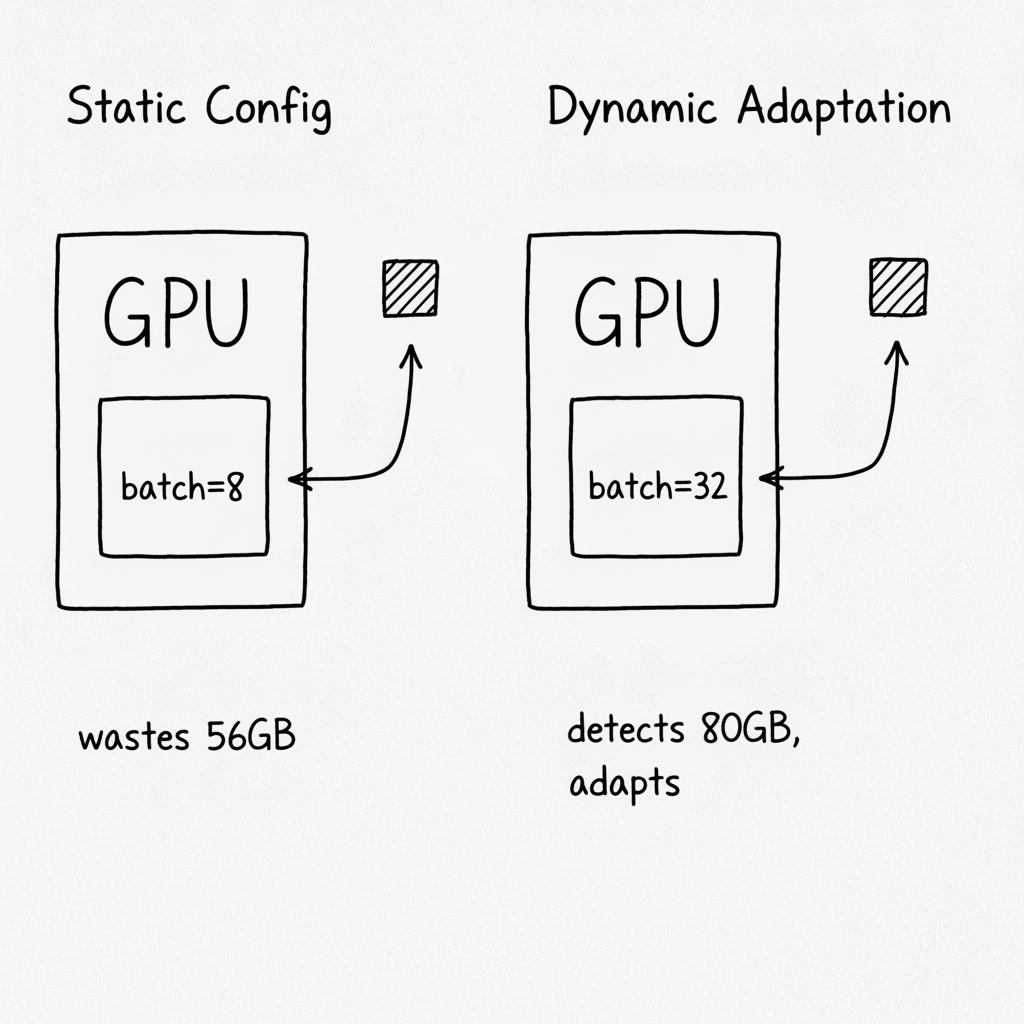
Then I did the math. The A100 was using 24GB of its 80GB. My batch size was 8—tuned for an RTX 4090 with 24GB. I was renting a sports car and driving it in first gear.
The fix took 20 lines of code. Throughput jumped to 400 products per minute. Same GPU. Same hourly rate. Just better utilization.
The Problem with Hardcoded Batch Sizes
My original code looked like this:
BATCH_SIZE = 8  # Works on RTX 4090

async def process_batch(items):
    # Collect 8 items, process together
    ...
This was tuned through trial and error on my development GPU. Too high? OOM crash. Too low? Wasted capacity. I found the sweet spot and hardcoded it.
The problem: my production GPU wasn't my development GPU.
The autoscaler picks whatever's cheapest and available. Sometimes that's an RTX 4090 (24GB). Sometimes it's an A100 (80GB). Sometimes it's an L40 (48GB). The spot market doesn't care about my hardcoded constants.
With a static batch size of 8, I was:
- Under-utilizing big GPUs: A100 could handle 32, but I was doing 8
- Crashing on small GPUs: If I'd tuned for A100, RTX 4090 would OOM
- Leaving money on the table: Paying the same hourly rate for 1/4 the throughput
The Fix: Detect and Adapt
The GPU knows how much VRAM it has. Ask it.
def get_gpu_vram_gb() -> int:
    """Detect GPU VRAM using nvidia-smi."""
    result = subprocess.run(
        ["nvidia-smi", "--query-gpu=memory.total", "--format=csv,noheader,nounits"],
        capture_output=True, text=True
    )
    vram_mb = int(result.stdout.strip())
    return vram_mb // 1024
Now map VRAM to optimal batch size:
def get_optimal_batch_size(vram_gb: int) -> int:
    """Batch size based on available VRAM.

    Model uses ~14GB base. Each image in batch adds ~0.5GB.
    Leave headroom for safety.
    """
    if vram_gb >= 80:   # A100, H100
        return 32
    elif vram_gb >= 48: # A40, L40
        return 16
    elif vram_gb >= 24: # RTX 4090, RTX 3090
        return 8
    else:               # Smaller GPUs
        return 4

# At startup
GPU_VRAM = get_gpu_vram_gb()
BATCH_SIZE = get_optimal_batch_size(GPU_VRAM)
print(f"Detected {GPU_VRAM}GB VRAM, using batch size {BATCH_SIZE}")
Now the same code runs optimally on any GPU. RTX 4090 gets batch size 8. A100 gets batch size 32. No OOM crashes. No wasted capacity.
The Math Behind the Mapping
How did I get those numbers? I profiled the model:
| Component | VRAM Usage |
|---|---|
| Base model (Qwen2.5-VL-7B) | ~14GB |
| Embedding model (FashionSigLIP) | ~2GB |
| CUDA overhead | ~2GB |
| Per-image working memory | ~0.5GB |
Available for batching = Total VRAM - Base - Embedding - Overhead
For an A100 (80GB):
- Available = 80 - 14 - 2 - 2 = 62GB
- Max batch = 62 / 0.5 = 124 images
But I don't go to 124. Why?
- Memory fragmentation. CUDA doesn't always pack perfectly.
- Peak vs average. Some operations spike higher than average.
- Safety margin. OOM crashes are expensive. Lost work, restart time.
- Diminishing returns. Batch 32 vs 64 isn't 2x throughput—there's overhead.
So I use conservative estimates: 32 for 80GB, 16 for 48GB, 8 for 24GB. Leaves ~50% headroom.
What I Got Wrong Initially
I forgot to set prefetch accordingly. Batch size 32 is useless if the queue only gives you 16 messages at a time.
# Prefetch should match batch processing
await channel.set_qos(prefetch_count=BATCH_SIZE * 2)
The 2x multiplier ensures the next batch is ready while the current one processes.
I didn't log the detection. First production run, I had no idea what batch size was actually being used. Now it's the first thing in the logs:
Detected GPU VRAM: 80GB
Using batch size: 32
If something's wrong, I see it immediately.
I assumed nvidia-smi would always work. On one instance, nvidia-smi wasn't in PATH. The detection failed silently and defaulted to batch size 8. Now I handle the error explicitly:
def get_gpu_vram_gb() -> int:
    try:
        result = subprocess.run(
            ["nvidia-smi", "--query-gpu=memory.total", "--format=csv,noheader,nounits"],
            capture_output=True, text=True, timeout=10
        )
        if result.returncode == 0:
            return int(result.stdout.strip().split('\n')[0]) // 1024
    except Exception:
        pass
    return 24  # Conservative default
I didn't verify at runtime. The formula said 32 should work, but I'd never actually tested it. First time it ran on an A100, I watched the VRAM graph nervously. It peaked at 58GB. Formula was right, but I didn't know until I saw it.
Beyond Batch Size
The same principle applies to other resources:
Image download concurrency:
# More VRAM = faster processing = need more images ready
IMAGE_CONCURRENCY = BATCH_SIZE * 2
Worker threads:
# Match parallelism to what the GPU can handle
WORKER_THREADS = min(BATCH_SIZE, cpu_count())
Timeout thresholds:
# Bigger batches take longer
BATCH_TIMEOUT = 1.0 + (BATCH_SIZE * 0.1)  # 1s base + 0.1s per item
When one resource adapts, others often need to follow.
The Pattern
# 1. Detect available resources at startup
resources = detect_hardware()

# 2. Calculate optimal settings from resources
settings = calculate_settings(resources)

# 3. Log what you're using
log(f"Hardware: {resources}, Settings: {settings}")

# 4. Apply settings
apply_settings(settings)

# 5. Monitor actual usage
while running:
    actual_usage = measure_usage()
    if actual_usage > threshold:
        log_warning(f"Approaching limit: {actual_usage}")
The key: settings are derived from hardware, not hardcoded. When the hardware changes, settings adapt automatically.
The Checklist
If you implement this:
- Detect hardware resources at startup (VRAM, RAM, CPU cores)
- Map resources to operational parameters (batch size, concurrency, timeouts)
- Log detected resources and derived settings
- Handle detection failures with conservative defaults
- Set related parameters consistently (prefetch, concurrency, timeouts)
- Monitor actual resource usage to validate your formulas
- Test on actual hardware variations, not just the formula
- Leave safety margins (50% headroom is reasonable)
- Document the mapping logic for future maintainers
When NOT to Use This
- Homogeneous infrastructure. If every instance is identical, static config is simpler.
- Resource detection is unreliable. If you can't trust the detection, don't adapt to it.
- Testing is impractical. If you can't test all hardware variations, conservative static limits are safer.
- Simplicity matters more. Dynamic adaptation adds complexity. For small workloads, it's not worth it.
The Takeaway
For months, I tuned batch sizes on my laptop and deployed them to production. It worked—but only because I was renting similar GPUs.
The moment I started using spot market GPUs, the mismatch hurt. Small GPUs crashed. Big GPUs wasted capacity. Same code, wildly different results.
Now the code asks the GPU what it can handle, then adapts. An RTX 4090 gets batch size 8. An A100 gets batch size 32. The formula is explicit, the detection is logged, and the code runs optimally wherever it lands.
The GPU market doesn't give you consistent hardware. Your code shouldn't assume it does.
Where This Applies
- GPU inference workers (VLM, embedding, classification)
- Batch processing systems on heterogeneous infrastructure
- Spot instance workloads with variable hardware
- Kubernetes pods with different resource limits
- Any system where the hardware varies but the code doesn't